“Memory Limit Error-Sulution”
Introduction:
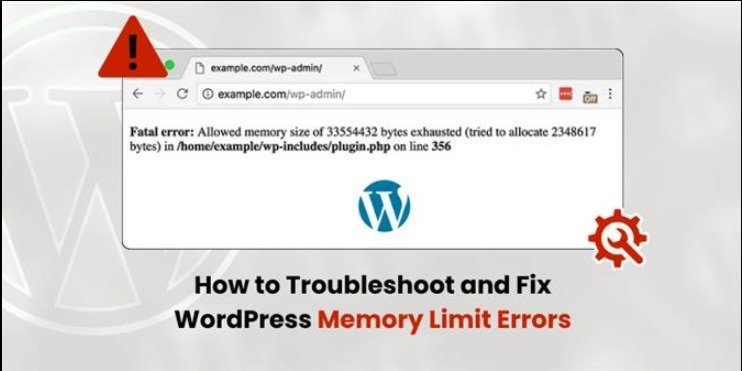
WordPress websites depend on server resources to function properly, especially memory. When the site exceeds the allocated memory limit, it can trigger critical errors that prevent pages or functionalities from loading. The “Allowed Memory Size Exhausted” error is a common issue that highlights the importance of proper resource configuration and optimization in web development.
Error Name:
Allowed Memory Size Exhausted
Description:
This error occurs when WordPress exceeds the memory limit allocated by the server. It usually appears as a fatal error message and prevents certain parts of the site or the entire site from loading.
Causes:
– Installation of heavy or poorly optimized plugins
– Themes that require a large amount of memory
– Insufficient PHP memory configuration on the server
Solution:
1. Access the wp-config.php file.
2. Add the following line of code before the “That’s all, stop editing!” line:
define(‘WP_MEMORY_LIMIT’, ‘256M’);
3. Save the file.
4. Reload the website to verify that the error is resolved.
5. If the issue persists, increase the memory further or contact the hosting provider.
Implementation:
Several heavy plugins were installed to intentionally exceed the memory limit and trigger the error. Then, the memory limit was increased in the wp-config.php file, which successfully restored the normal operation of the website.
What I Learned:
Through this exercise, I learned that insufficient memory allocation can directly impact the performance and availability of a WordPress website. I understood that heavy plugins or resource-demanding themes can quickly exceed the server’s memory limits, causing fatal errors.
I also gained practical experience in solving this issue by modifying the wp-config.php file to increase the PHP memory limit. This helped me understand how WordPress interacts with server configurations and how adjusting these values can restore normal functionality.
Additionally, I learned that simply increasing memory is not always the best long-term solution, and it is important to evaluate plugins and themes to ensure they are optimized and necessary.
Finally, by intentionally triggering and resolving the error, I strengthened my troubleshooting skills and developed a better understanding of how to manage server resources effectively in WordPress environments.

Proudly powered by WordPress